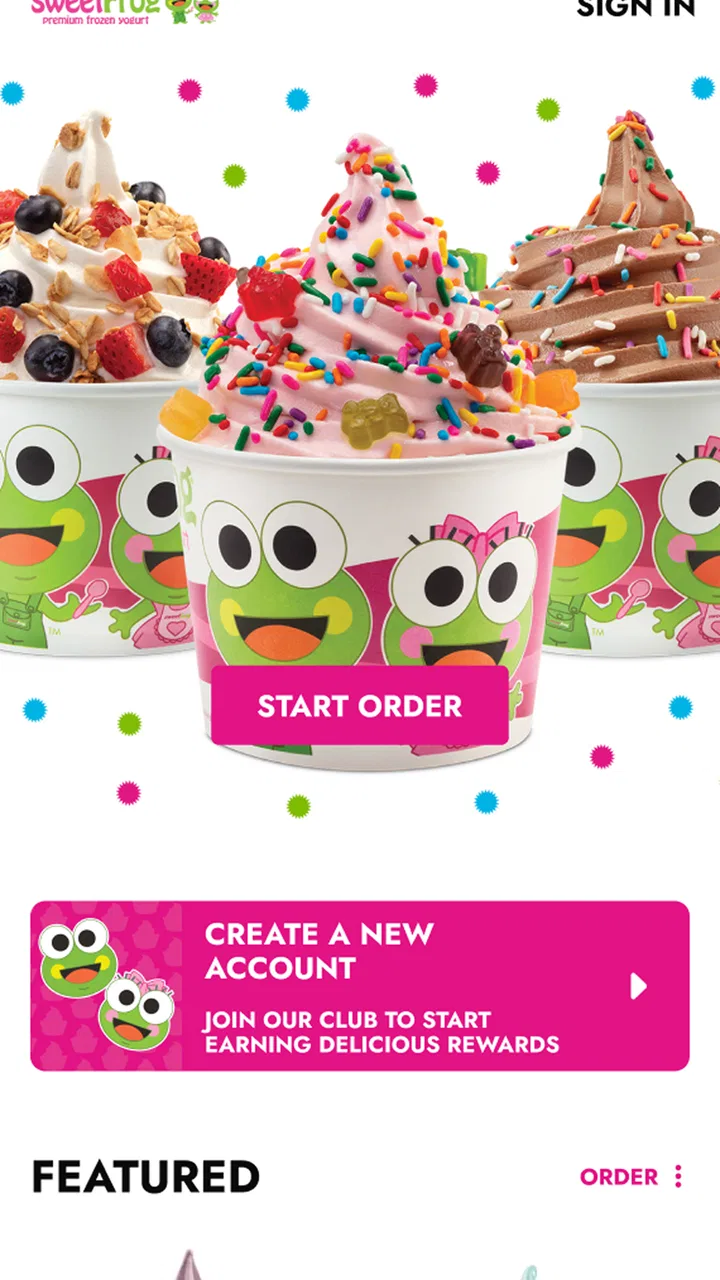
sweetFrog®
- 3.6
- Rating
- 10.00K
- Installs
- Free
- Price

 Analysis by App-foxy
When I want frozen yogurt, the hardest part is often not choosing a flavor. It is finding a nearby sweetFrog location, checking whether the visit fits my plans, and getting useful information without wasting time in a browser. That is the practical space where sweetFrog® makes sense. It is a free Food & Drink app from Kahala, built around the sweetFrog frozen-yogurt brand rather than trying to become a general restaurant guide.
I approached it as a quick companion for deciding whether a sweetFrog stop is convenient. The experience is more useful when I already know I want sweetFrog and need brand-specific help. It is less compelling if I am simply comparing every dessert shop in town. That distinction matters, because the app’s value comes from narrowing a decision, not replacing a full maps or restaurant-discovery service.
Where the experience can get stuck
The first point of friction is expectation. Someone opening a food app may expect menus, delivery, table booking, nutrition tools, loyalty management, or a broad search across many restaurants. This is not how I would frame sweetFrog®. I see it as a focused way to interact with the sweetFrog presence on a phone. If I open it expecting a complete frozen-yogurt marketplace, the experience can feel limited even when it is doing its intended job.
You May Also Like

 AccuWeather: Weather Radar
AccuWeather Review: A Quick, Clear Forecast for Everyday Decisions
For everyday plans, the best forecast is the one you can understand quickly. AccuWeather makes rain timing, radar, and local conditions easy to act on, with a few trade-offs.

 Hill Climb Racing
Why Hill Climb Racing Still Turns Crashes Into One More Run
A tiny car, a bumpy hill and one more upgrade: Hill Climb Racing keeps resurfacing because its simple chaos makes every near-miss feel personal.

 AliExpress - Shopping App
AliExpress Makes Global Shopping Feel Personal, but Shoppers Bear the Risk
AliExpress turns a global marketplace into a pocket-sized discovery engine. Its reach is useful, its shopping loop compelling, and its trade-offs easy to miss.

 Lords Mobile: Kingdom Wars
Lords Mobile Is a Kingdom-Building Routine, Not a Quick Match
A case-by-case verdict on the building, battles, device demands, and social commitments that make Lords Mobile rewarding for some players and exhausting for others.

 PDF Scanner app - TapScanner
TapScanner Makes Paperwork Easier to Capture, Check, and Share
TapScanner makes scanning with a phone feel less like a rescue operation and more like a dependable step in getting work done. Its capture tools are useful, though not flawless.

 Block Blast!
 Shows How Much a Puzzle Game Can Leave Out
A quiet grid game shows why puzzle players increasingly value instant clarity, repeatable skill and low-pressure play—and where the genre still needs to catch up.
More From Our News Desk
View All News


That focus is also its main strength. I do not have to filter unrelated dessert businesses when my destination is already decided. For a family choosing a treat after school, a traveler looking for a familiar brand, or someone checking a store before leaving home, a narrow app can be quicker than searching through general results. The trade-off is that I still need another tool when I want to compare sweetFrog with independent shops, ice-cream parlors, or delivery services.
Another common stumbling block is treating the app as the final authority for a live visit. Store information can be useful for planning, but a phone app cannot remove real-world variables such as holiday schedules, temporary closures, unusual local hours, or a shop being busy. I use it to decide where to look and when to go, then keep a little flexibility in my plan. That is especially sensible when the trip is long or the dessert is for a group.
The public response is mixed but not alarming: the app sits at a 3.6 average from around 54 ratings, with roughly 21 written reviews. I read that as a sign that the basic idea works for some people while others encounter enough friction to comment. It is not a reason to dismiss the app, but it is a reason to test the parts I actually need before relying on it for an important outing.
What I check before blaming the app
When something looks wrong, I first separate an app problem from a location problem. I check that my phone has a working internet connection, that location access is available if I am asking for nearby information, and that the app is allowed to finish loading rather than being interrupted immediately. These are simple checks, but they prevent a surprising amount of wasted troubleshooting.
I also make sure I am searching with a realistic expectation. A small town may not return the same kind of result as a large city, and a location that appears in a general web search may not be available in the same way inside a brand-focused app. I try a broader area, confirm the spelling of the city, and compare the result with a familiar maps app. If both tools show the same location, the issue is probably not the sweetFrog app itself.
The technical baseline is fairly forgiving. The app is listed as suitable for Android six or later, which covers many older phones as well as current devices. It is free to install, and its content rating is Everyone, so I would consider it approachable for households where children and adults share a device. The current version is 2.0.1, and I would check that the installed version matches the current release before spending time on older troubleshooting advice.
One useful habit is to close and reopen the app after changing location settings or reconnecting to a network. Some apps do not immediately refresh a search view after a permission or connection change. I would also avoid repeatedly tapping a button while waiting; that can create a confusing sequence of screens or make it unclear whether the first request is still processing. A calm restart is usually more productive than rapid tapping.
A sensible setup routine
My setup routine is deliberately short. I install the app, open it on a reliable connection, and look at the main path I expect to use before I am standing outside a store. If location-based discovery is part of that path, I allow the relevant phone setting and then verify that the result makes sense for my area. I do not wait until I am driving or already trying to organize a group.
I then test one ordinary scenario: finding a sweetFrog option for a planned treat. This tells me whether the app is useful on my phone, in my region, and with my normal way of searching. If that simple test works, I have a better chance of using it smoothly later. If it does not, I can switch to a general maps search before the decision becomes urgent.
There is also a practical privacy trade-off. Location access can make nearby discovery easier, but I would not enable it automatically if I prefer to search manually. When I only need a known store, entering a place myself may be enough. This gives me more control and can reduce confusion if the phone’s location estimate is inaccurate indoors, in a shopping center, or near a city boundary.
Because the app is free, the financial risk of trying it is low. The larger cost is time: downloading it, checking whether it helps, and learning its particular route to store information. That makes a quick trial worthwhile for regular sweetFrog customers, but not necessarily for someone who wants one dessert recommendation and already has a dependable maps app installed.
Recovering a stalled workflow
If a search does not behave as expected, I recover in stages rather than assuming the whole app has failed. First I return to the starting screen and repeat the task with a broader location. Then I close the app, reopen it, and confirm the connection. If the problem continues, I compare the same destination in a general maps service. This sequence tells me whether the failure is tied to the app, the network, or the local search itself.
A useful workaround is to separate discovery from confirmation. I can use the app to identify a likely sweetFrog destination, then use a familiar map or phone call to confirm the practical details before leaving. That is not a criticism of the app so much as a realistic division of labor. A brand app is often best at presenting the brand’s own locations; a maps service is usually better at traffic, route planning, and comparing nearby alternatives.
For a family visit, I would make the workflow even simpler. Before everyone gets in the car, I choose the likely location, note the route, and decide what backup plan makes sense if the shop is inconvenient. This avoids turning a small dessert trip into a group discussion in a parking lot. The app helps with the first decision, while ordinary planning handles the rest.
For a traveler, I would use it earlier in the day rather than at the last minute. Search results can be checked while connected to dependable Wi-Fi, and a second map can be prepared for directions. If the app does not show what I expect, I still have time to search by the brand name elsewhere. That is a more reliable workflow than depending on a single screen while moving between unfamiliar places.
One less obvious tip is to treat a failed local result as a search problem before treating it as an installation problem. I would try a nearby town or a broader area, then compare what appears. If the broader search works, the app may simply be handling the original location narrowly. If nothing loads anywhere, restarting the app and checking the network becomes more sensible than repeatedly changing search terms.
When another tool is the better choice
sweetFrog® is not my first choice when I want broad dessert discovery. A general maps app is better for comparing distance, opening times, directions, user photos, and competing businesses in one view. A delivery app is more appropriate when I want food brought to me, assuming the local business and service support that arrangement. A browser search can also be faster for a one-off question when I do not expect to visit sweetFrog again.
I would also skip this app if my main need is detailed dietary planning. A focused brand app may help me find a destination, but that does not automatically answer questions about ingredients, allergens, cross-contact, or current product availability. For a serious allergy or medically necessary restriction, I would confirm details directly with the specific location rather than relying on a general brand experience.
Likewise, people who want a complete account of every local dessert option may feel constrained. The app’s narrow identity is useful when I have already chosen sweetFrog, but it becomes a limitation when the real question is, “What is the best treat near me tonight?” In that situation, I would start with a broader service and use this app only if sweetFrog becomes one of the finalists.
The app has reached over 10 thousand installs, so it is not an obscure experiment with no audience. Still, that figure does not tell me whether it will be equally useful in every city. Local coverage and the quality of the information for a particular shop matter more to my decision than the overall install count. I would judge it by one practical test: can it help me find and plan the visit I actually have in mind?
Who will get the most from it?
I think the best fit is a repeat sweetFrog customer who wants a direct, brand-specific way to plan visits. It is also handy for parents who need a quick destination for a treat, visitors who recognize the brand and want to locate it in an unfamiliar area, and anyone who prefers a dedicated app over searching the web each time. The free price makes experimentation easy, and the Everyone rating keeps the app suitable for general household use.
The weaker fit is someone who rarely eats frozen yogurt, dislikes installing single-brand apps, or wants delivery and broad restaurant comparison in one place. That person may get more value from a general maps or food service app already on the phone. I would not install this solely because it is free; I would install it when the sweetFrog-specific shortcut solves a recurring problem.
My most useful everyday scenario is a spontaneous weekend outing. I open the app before leaving, check whether a sweetFrog destination is practical, and use a separate navigation tool if I need detailed directions or traffic information. If the location does not fit, I have not lost much time because the app was used for a narrow decision rather than forced to manage the entire trip.
My practical verdict
After looking at the app as a real planning tool rather than a general food platform, I find its appeal straightforward: it is a focused companion for people who already want sweetFrog. The experience is most successful when I keep the task small, check the phone’s connection and location settings, and use another service for navigation or wider comparisons.
The limitations are equally clear. I would not depend on it alone for live store details, medical dietary decisions, or a complete survey of nearby dessert choices. Some users may also encounter local-search or loading friction, which is why I recommend testing the basic workflow before a time-sensitive visit. Those are manageable boundaries, but they should shape how the app is used.
My recommendation is simple: install it if sweetFrog is already part of your routine, and treat it as a brand locator and planning aid rather than an all-purpose food app. Kahala’s app earns a place on my phone when I want that specific shortcut. For everyone else, a general maps or restaurant-discovery tool will probably cover more needs with fewer separate apps.
FAQs for sweetFrog®
01What is sweetFrog® and how does it work?
sweetFrog® is a mobile app designed to enhance your experience at sweetFrog® frozen yogurt shops. It allows you to view the menu, locate nearby stores, and earn rewards through its loyalty program. Users can easily navigate the app to customize their orders, check nutritional information, and access exclusive promotions.
02Is the sweetFrog® app available for both Android and iOS devices?
Yes, the sweetFrog® app is available for download on both Android and iOS platforms. You can find it on the Google Play Store for Android devices and the Apple App Store for iOS devices. This ensures a seamless user experience regardless of your device type.
03Does the sweetFrog® app offer any loyalty or rewards program?
Absolutely! The sweetFrog® app features a robust rewards program that allows users to earn points with every purchase. These points can be redeemed for discounts on future orders. The app also provides exclusive offers and promotions, encouraging frequent visits and rewarding loyal customers.
04Are there any costs associated with using the sweetFrog® app?
The sweetFrog® app is free to download and use. There are no hidden fees associated with the app itself. However, purchases made through the app at sweetFrog® locations will incur standard charges for the items ordered. The app aims to enhance your visit without adding extra costs.
05How does the app handle user data and privacy?
sweetFrog® takes user privacy seriously. The app collects minimal personal information necessary for account creation and loyalty tracking. All data is securely stored and not shared with third parties without consent. Users can review the privacy policy within the app for more detailed information on data handling.
Pros
- User-friendly interface enhances experience.
- Wide variety of flavors to explore.
- Customizable options for unique creations.
- Loyalty rewards program for frequent users.
- Detailed nutritional info for health-conscious users.
Cons
- Limited availability in some regions.
- Requires stable internet connection.
- Occasional app crashes reported.
- In-app ads can be intrusive.
- Some features locked behind paywall.

sweetFrog®
Gallery